
LED screens have become an important part of stage design for concerts, conferences, award ceremonies and corporate events. They give event organisers more options for displaying presentations, video content, branding and live camera feeds.
A stage LED display can serve as a full backdrop, a pair of side screens or part of a larger visual arrangement. The right configuration depends on the venue, stage dimensions, audience layout and type of event.
This guide explains how LED screens are used on stages, the different layouts available and the production details organisers should consider before an event.
How Are LED Screens Used on Event Stages?
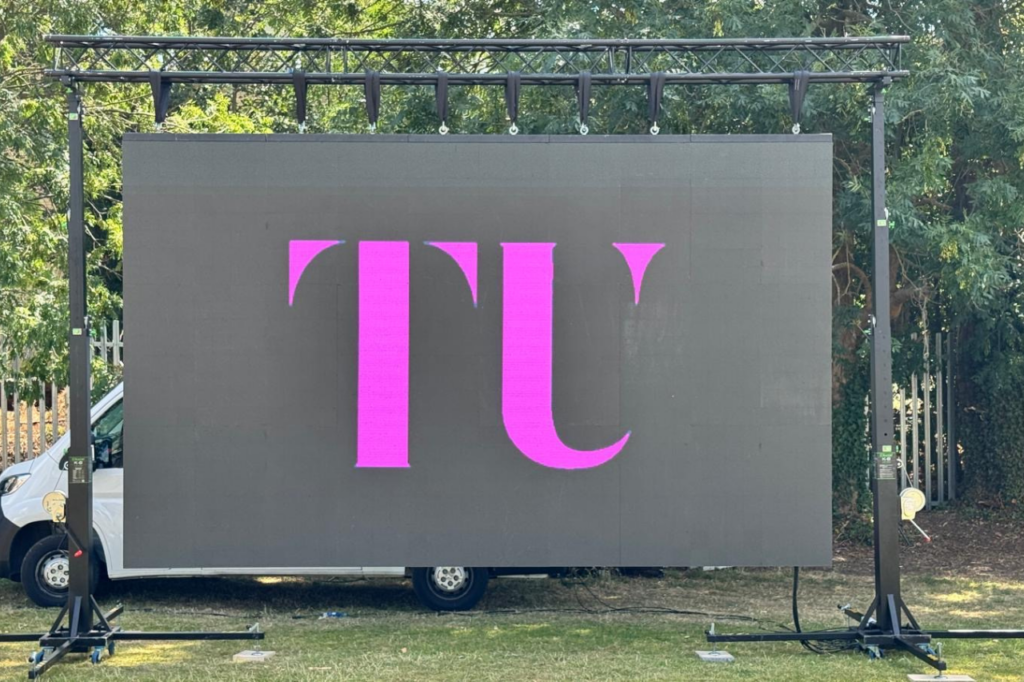
An LED screen for stage use can serve several purposes during an event. Its role will depend on the programme, the content being displayed and the way the stage is arranged.
Common applications include:
1. Stage Backdrops
A large LED screen can be positioned behind the performers, presenters or speakers. It provides a digital background that can change throughout the event.
For example, a conference might display the event branding during introductions, presentation slides during talks and video content between sessions.
Concerts can use moving visuals and graphics that support the performance. Corporate events may use branded backgrounds that keep the company identity visible throughout the programme.
2. Live Camera Feeds
For larger venues, cameras can capture speakers, performers or other activity on stage. The footage can then be displayed on LED screens so people seated further away have a clearer view.
This is particularly useful for:
- Concerts and music performances
- Award ceremonies
- Large conferences
- Product launches
- Public presentations
The camera arrangement, video switching equipment and screen configuration need to be planned together to ensure the live feed is displayed correctly.
3. Presentation and Event Information
LED stage screens can display presentation slides, speaker names, schedules, announcements and other event information.
This is useful for conferences and business events where visual information forms part of the programme.
Content should be designed with the screen dimensions and audience viewing distance in mind. Small text and crowded layouts can be difficult to read from the back of a venue.
4. Branded Visual Content
Businesses can use LED screens to display logos, campaign graphics, product videos and branded animations.
For product launches and corporate events, the screen can become part of the stage presentation rather than simply acting as a background.
Content can also change between programme sections, allowing the stage to maintain a consistent visual identity without relying on printed backdrops.
Common LED Screen Layouts for Stages
The layout of a stage LED display affects how the audience sees the content and how the screen fits into the production design.
Full-Width LED Backdrop
A full-width screen covers much of the stage background. It creates a large display area for presentations, videos, branding and performance visuals.
This layout is often considered for conferences, concerts and corporate productions where the screen needs to be a major part of the stage design.
The available stage width, screen height and venue restrictions should be checked before selecting the final dimensions.
Centre Screen with Side Displays
Another option is to use a main screen in the centre with smaller displays on either side.
The centre screen can show the main presentation or video content, while the side screens provide additional visuals or live camera feeds.
This arrangement can be useful when the stage needs to accommodate different types of content at the same time.
Multiple LED Panels
Some stage designs use several separate LED panels rather than one continuous display.
These can be arranged vertically, horizontally or in different sections to create a more varied stage layout.
However, the positioning and content format need careful planning. The production team should know how each panel will be used and whether content needs to appear across multiple displays.
LED Screen as a Stage Backdrop Feature
An LED screen does not always need to cover the entire stage.
A smaller display can be positioned behind a presenter, performer or product demonstration area. This can provide a focal point without taking up the full width of the stage.
The screen should be positioned so it does not obstruct performers, stage equipment or other important production elements.
Planning an LED Screen for Stage Production
Choosing a screen layout is only one part of the process. The display also needs to work with the venue, stage design and technical production.
1. Check the Stage Dimensions
Start by measuring the available stage width and height.
The screen needs to fit within the stage design without interfering with lighting positions, speakers, set pieces or performer movement.
It is also important to consider the space behind and around the stage. Access routes and installation requirements may affect where the screen can be positioned.
2. Consider Audience Viewing Angles
The audience should be able to see the display from different seating positions.
For a wide venue, a single centre screen may not provide the best viewing experience for everyone. Additional side displays may be worth considering, depending on the venue and stage arrangement.
The screen’s height, width and position should be assessed in relation to the audience layout.
3. Match the Content to the Screen Layout
Content should be prepared for the actual screen configuration.
A presentation designed for a standard widescreen display may not fit correctly on an unusually shaped LED backdrop. Multiple screens may also require separate content feeds.
Before the event, confirm:
- Screen dimensions and aspect ratio
- Video resolution and playback format
- Presentation file requirements
- Live camera feed requirements
- Whether content will run across multiple displays
Testing the content before the event helps identify formatting problems before the audience arrives.
4. Coordinate with Lighting and Sound
LED screens are part of the wider stage production, so their position needs to work with lighting and sound equipment.
Lighting fixtures should be positioned to avoid unwanted reflections or visual interference. Speakers, microphones and other equipment should also be considered when planning the stage layout.
The production team should review the complete stage arrangement rather than treating the screen as a separate element.
5. Plan Power and Signal Connections
LED displays require suitable power and video signal connections.
The technical plan should account for power distribution, cable routes, signal sources and the equipment needed to send content to the display.
Cable positions should be coordinated with stage access and walkways to reduce trip hazards and avoid interference with other production equipment.
6. Allow Time for Installation and Testing
The installation schedule should include time for positioning the display, connecting equipment and testing content.
Testing should cover the actual material that will be used during the event, including presentations, video playback and live feeds where applicable.
For events with several programme sections, it is also useful to check how content will change between speakers, performances or presentations.
LED Screens for Different Types of Stage Events
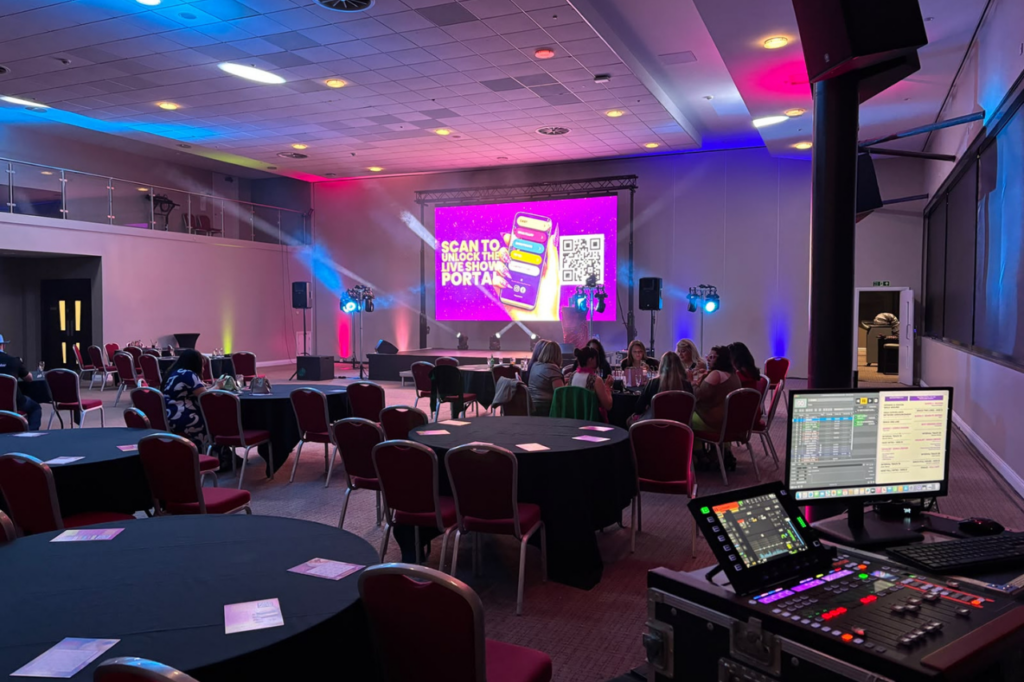
The best stage display arrangement depends on what happens during the event.
Conferences and Business Events
Conferences often use LED backdrops for presentation slides, speaker names, company branding and video content.
Side displays may also be useful in wider venues where attendees need additional viewing areas.
Concerts and Live Performances
Concert stages can use LED screens to show performance visuals, graphics and live camera footage.
The display layout should work with the performers, lighting design and other stage elements. Content may also need to change throughout the performance.
Award Ceremonies
Award ceremonies can use LED displays for nominee information, winner announcements, sponsor branding and video introductions.
The screen content should be coordinated with the event running order so the correct information appears at the right time.
Product Launches
Product launches often use LED backdrops to display product visuals, promotional videos and branded content.
The display can support the presentation and provide a consistent background for product demonstrations.
School and University Events
Graduation ceremonies, student performances and university events can use stage screens for names, announcements, presentations and live camera feeds.
The required setup will depend on the size of the venue and the number of people attending.
Common Mistakes to Avoid When Planning Stage LED Screens
A well-planned display should support the event rather than create additional production problems.
Some common issues include:
- Choosing a screen before measuring the stage: The display may be too large or may interfere with other stage equipment.
- Ignoring the audience layout: Attendees in certain seating areas may have a restricted view.
- Using unsuitable content dimensions: Graphics and presentations may appear stretched, cropped or difficult to read.
- Leaving testing until the last minute: Playback or signal problems may only become apparent during the event.
- Not coordinating with the production team: Screen placement may conflict with lighting, sound or stage arrangements.
- Underestimating installation time: Access restrictions and technical checks can affect the event schedule.
Discussing these details before the event helps ensure the display is suitable for the planned production.
What Information Is Needed When Hiring an LED Stage Screen?
When requesting an LED screen hire quotation, providing accurate event information helps the supplier assess the requirements.
Useful details include:
- Event location: The venue and its access arrangements.
- Event type: For example, a conference, concert, award ceremony or product launch.
- Stage dimensions: The available width, height and depth.
- Audience size and layout: The expected attendance and seating arrangement.
- Screen requirements: Whether the display will be used as a backdrop, side screen or multiple-panel arrangement.
- Content requirements: Presentations, videos, live camera feeds or branded graphics.
- Event schedule: Installation access, rehearsal time and event start time.
Venue information and technical requirements can then be reviewed to determine a suitable display arrangement.
Frequently Asked Questions
What is an LED screen for stage use?
An LED screen for stage use is a large digital display positioned on or behind a stage. It can show presentations, videos, branding, live camera feeds and other event content.
What is an LED stage backdrop?
An LED stage backdrop is a digital display positioned behind performers, presenters or speakers. Unlike a fixed printed background, it can show different content throughout the event.
Can LED screens display live camera footage?
Yes. LED screens can display live camera feeds when connected to suitable video and switching equipment. This allows people further away from the stage to see speakers and performers more clearly.
Are LED screens suitable for conference stages?
Yes. They can display presentation slides, speaker information, event branding and video content. The screen arrangement should be planned around the stage dimensions and audience seating.
Can multiple LED screens be used on one stage?
Yes. A stage can use a centre screen with side displays or several separate LED panels. The content and signal arrangement need to be planned for the chosen configuration.
How early should an LED stage screen be booked?
It is best to discuss requirements as early as possible, particularly for larger productions or venues with restricted installation access. The booking timeline will depend on availability, event requirements and the complexity of the setup.
Arrange LED Screen Hire for Your Stage
An LED screen can support presentations, live performances, branding and audience viewing when it is planned as part of the wider stage production.
Technically Unique provides event AV and LED display hire services. Event organisers can discuss their venue, stage dimensions, display requirements and event schedule to establish a suitable arrangement.
To discuss an upcoming event, visit Technically Unique’s contact page or call 0208 058 2428.